Head of Product Design / Plyo

Growing PropTech SaaS services to ~70% of Scandinavian market share

2019 - 2025
  • Product Design
  • UX
  • UI
  • Figma
  • Zeplin
  • Consultancy

Fully featured product design for integrated content and data platform

As Head of Product Design at Plyo AS for 6 years, I have made significant contributions to company growth in the PropTech space as a complete front-end portal and back-end office management solution in the Scandinavian Real Estate Markets.

Major project and delivery areas:

  • Plyo Work / CRM, Inventory, CMS, Newsletter and Insights Platform Admin tools.
  • Plyo Explore / 3D Property Explorer and home buying experience.
  • Design Systems / Design from ground-up, management and iteration, delivery and end-to-end advocacy.
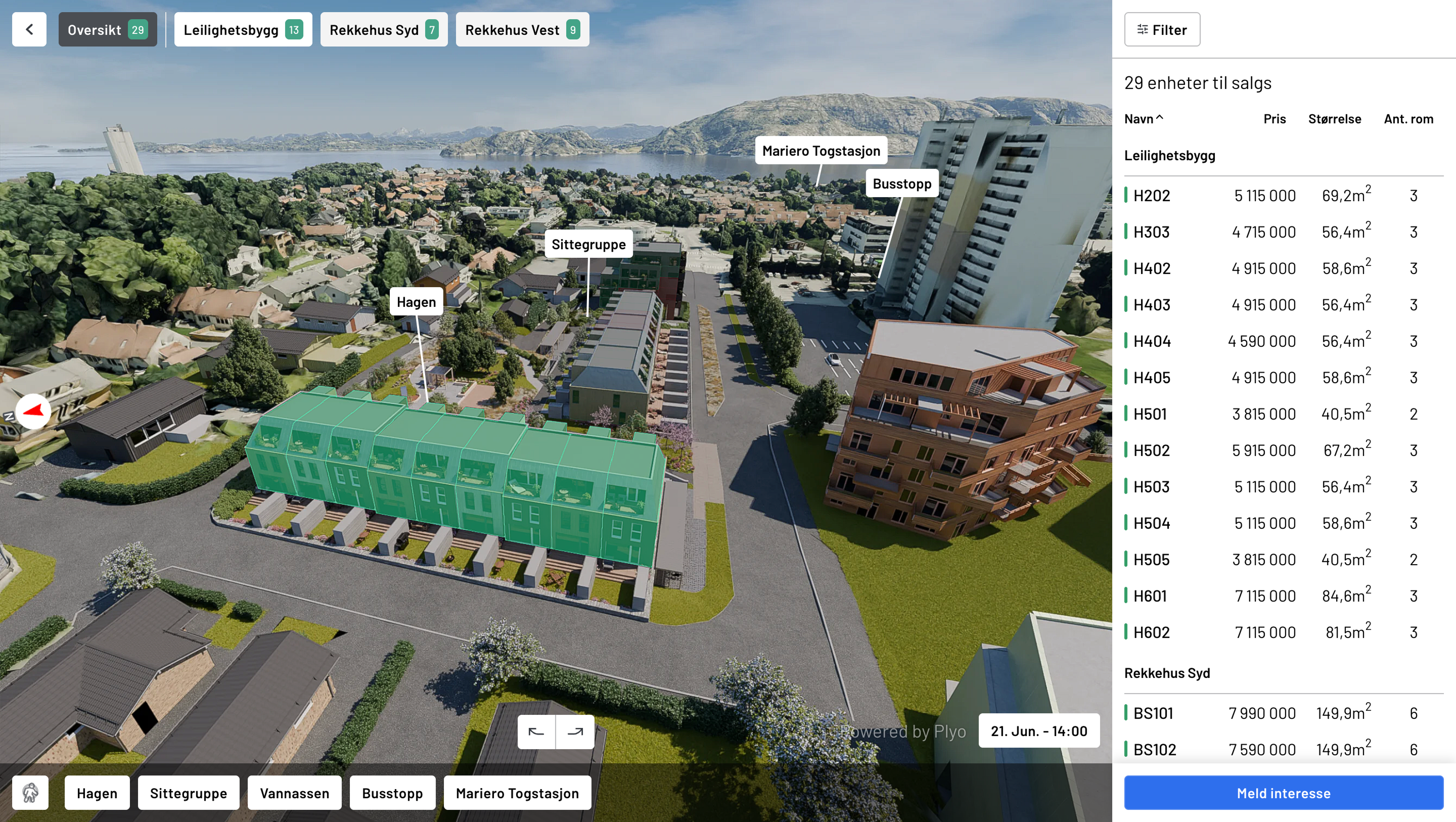
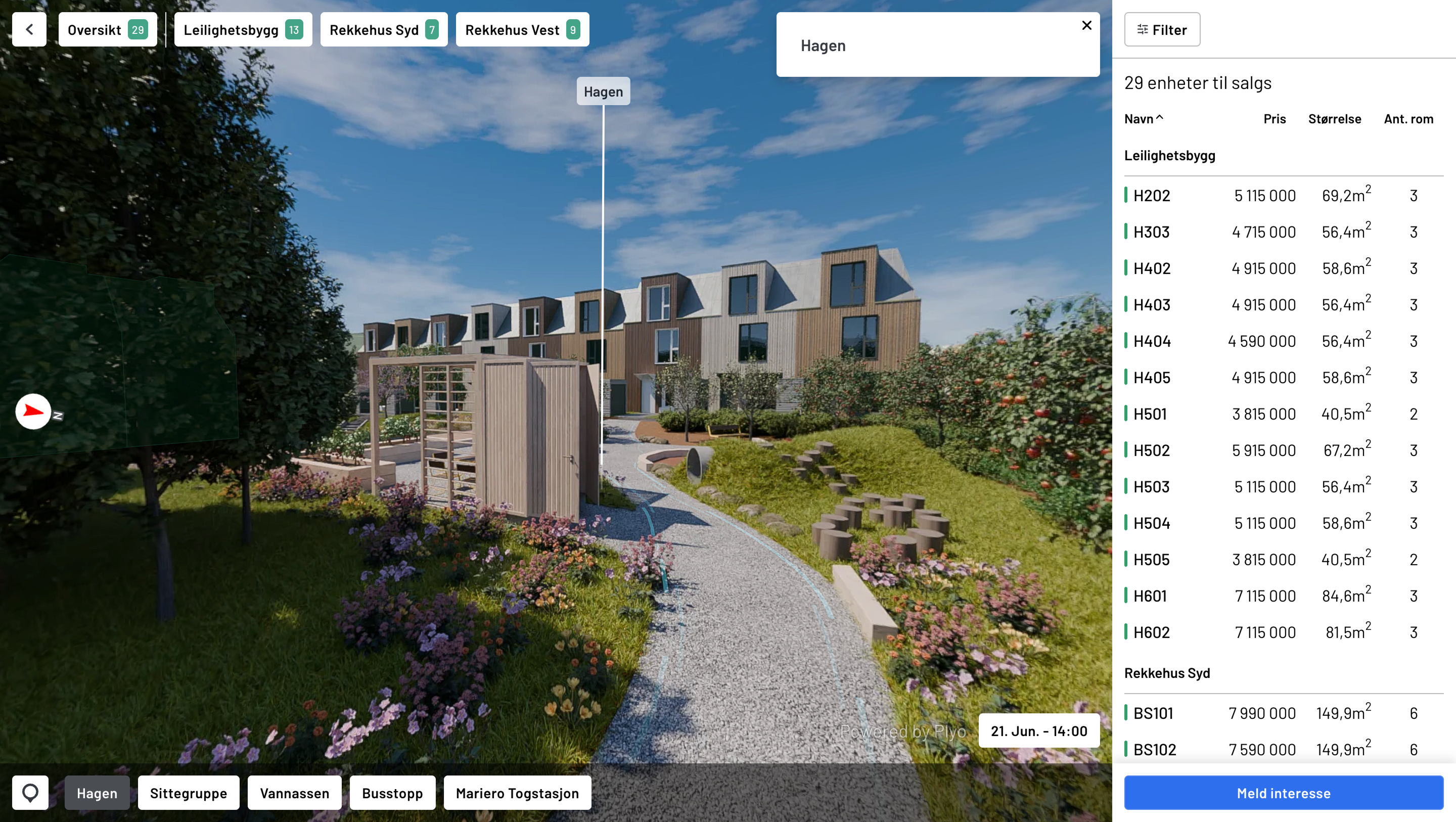
Plyo Explore- 3D Model overview here showing highlighted buildings and Points of Interest
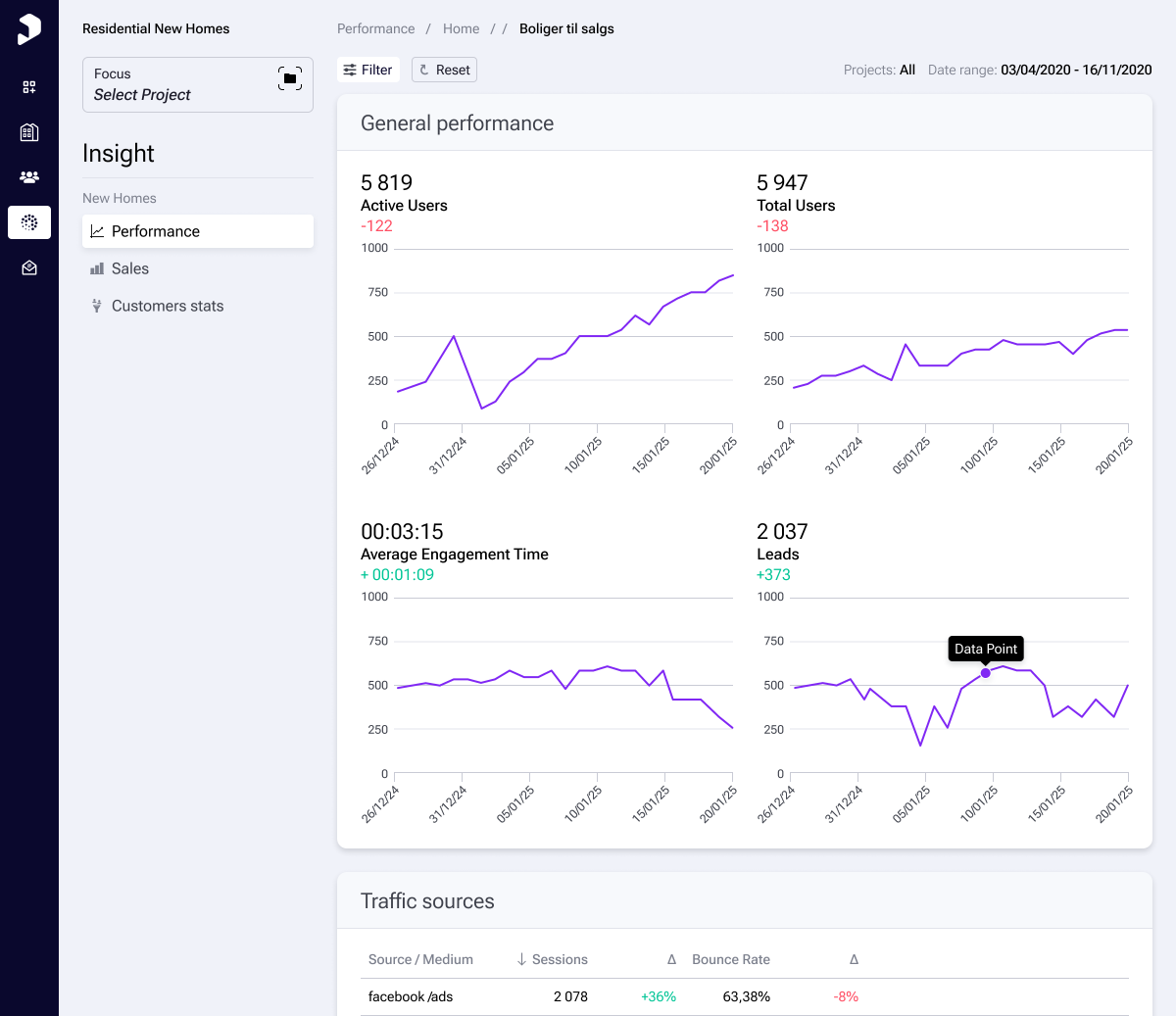
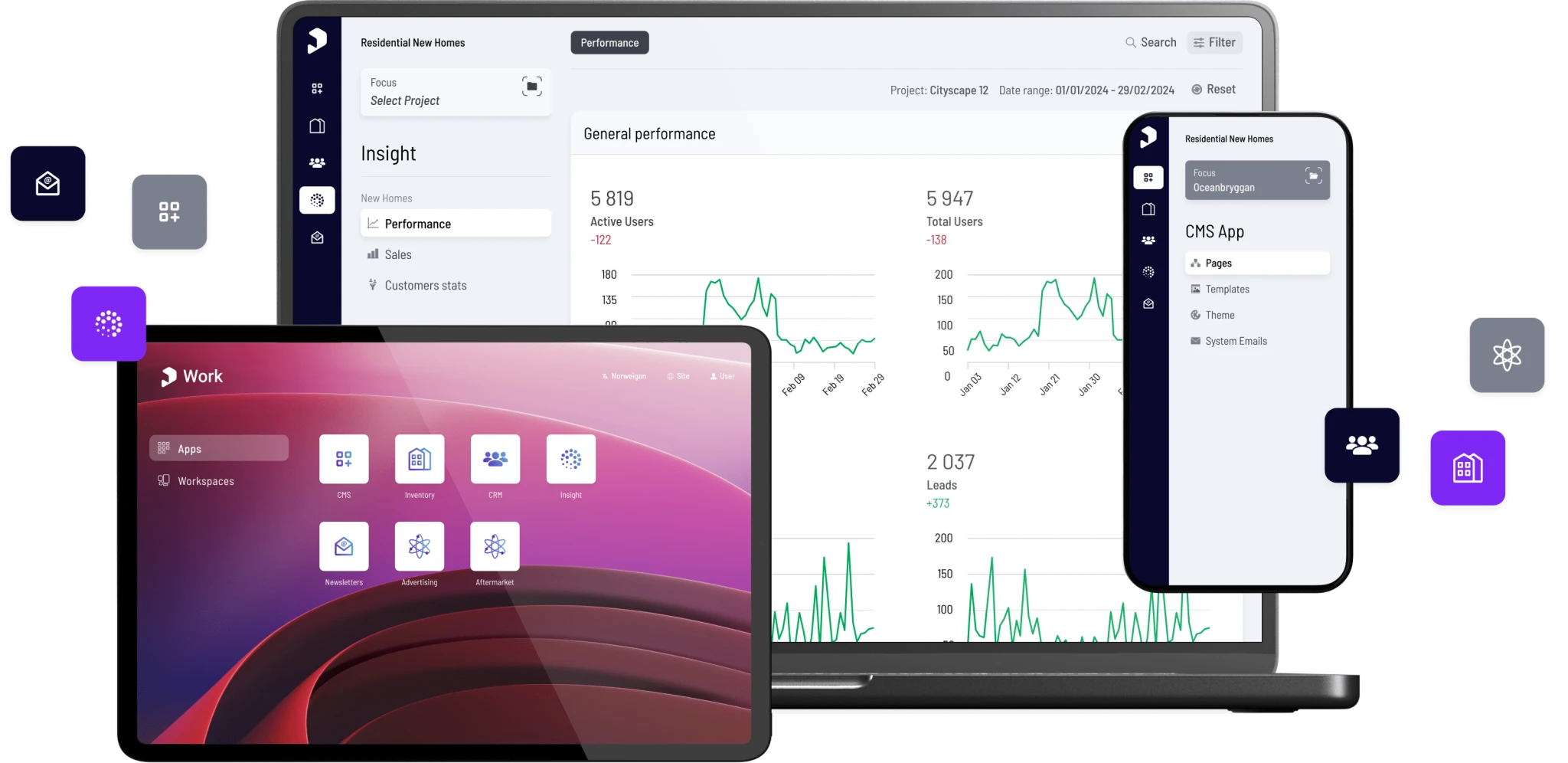
Screenshot of Plyo Insights. All project graphs
Screenshot of Plyo Insights. Dynamically get detailed data and feedback around Website and Newsletters with Projects and Leads
I had the pleasure of working with Simon, and he’s one of those rare professionals who seamlessly adapts to any challenge. He thrives in complex environments, taking broad, abstract ideas and quickly distilling them into clear, practical solutions that align with the bigger picture. Whether synthesizing input from multiple stakeholders or navigating competing priorities, Simon finds the right path forward with clarity and precision.

Beyond his sharp analytical skills, he’s a natural coach and mentor, always helping those around him grow and improve. He also has a keen eye for design tools, mastering Figma’s advanced features with remarkable finesse—enhancing workflows without overcomplicating them. What truly sets Simon apart is his dedication to best practices. If he doesn’t already know the best approach, he’ll research, test, and refine until he does. His drive to continuously improve isn’t just a mindset — it’s something he actively applies to processes, teams, and outcomes.

Anyone working with Simon will immediately see his impact. Highly recommend! Paul René Engejordet, Chief Product Officer, Plyo

Plyo Explore

3D Property Explorer is an interactive property and apartment chooser, allowing immersive exploration of new developments and the surrounding area directly in the browser.

It has quickly been established as the Flagship product and major revenue driver.

Find out more at plyo.com

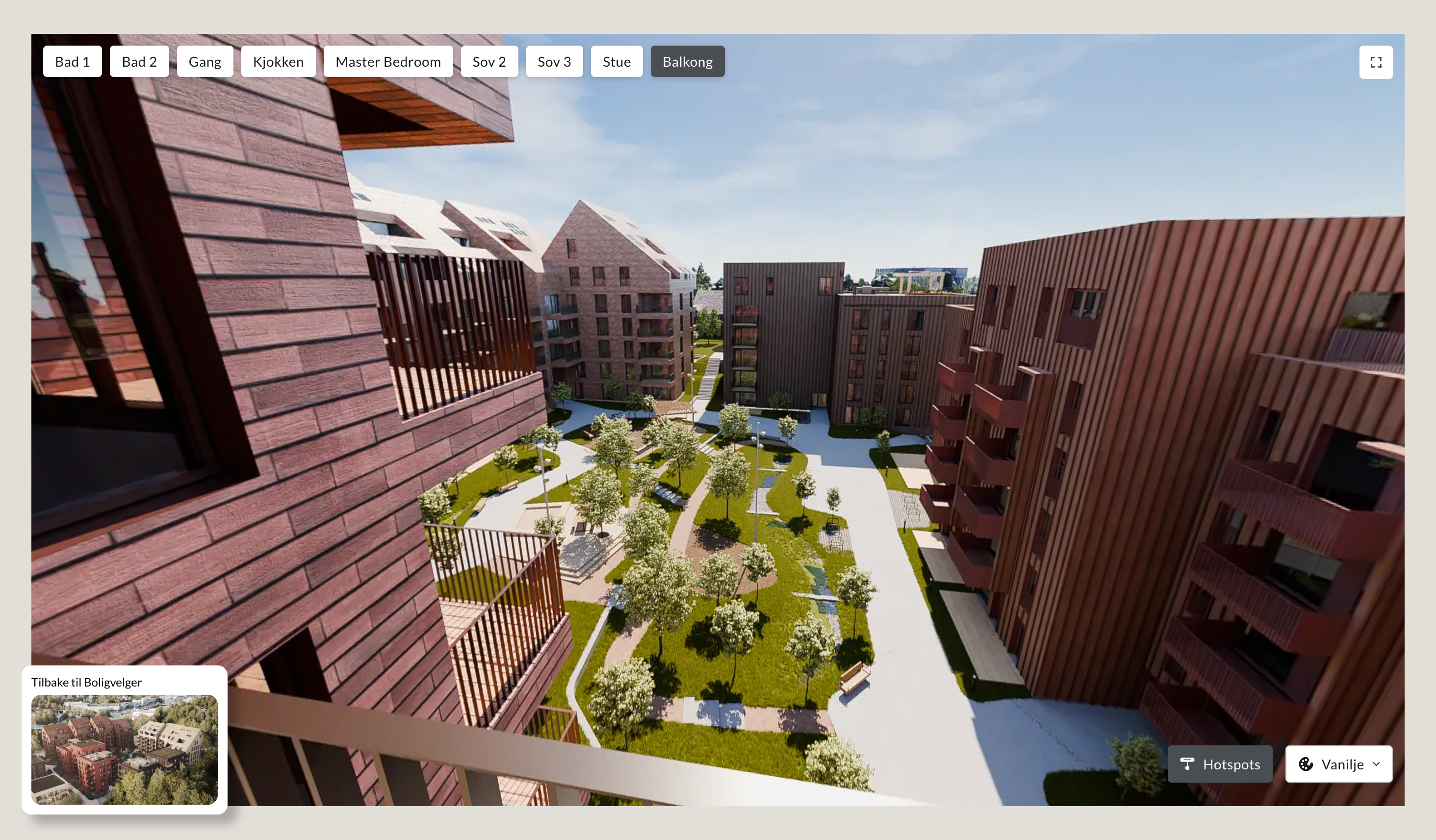
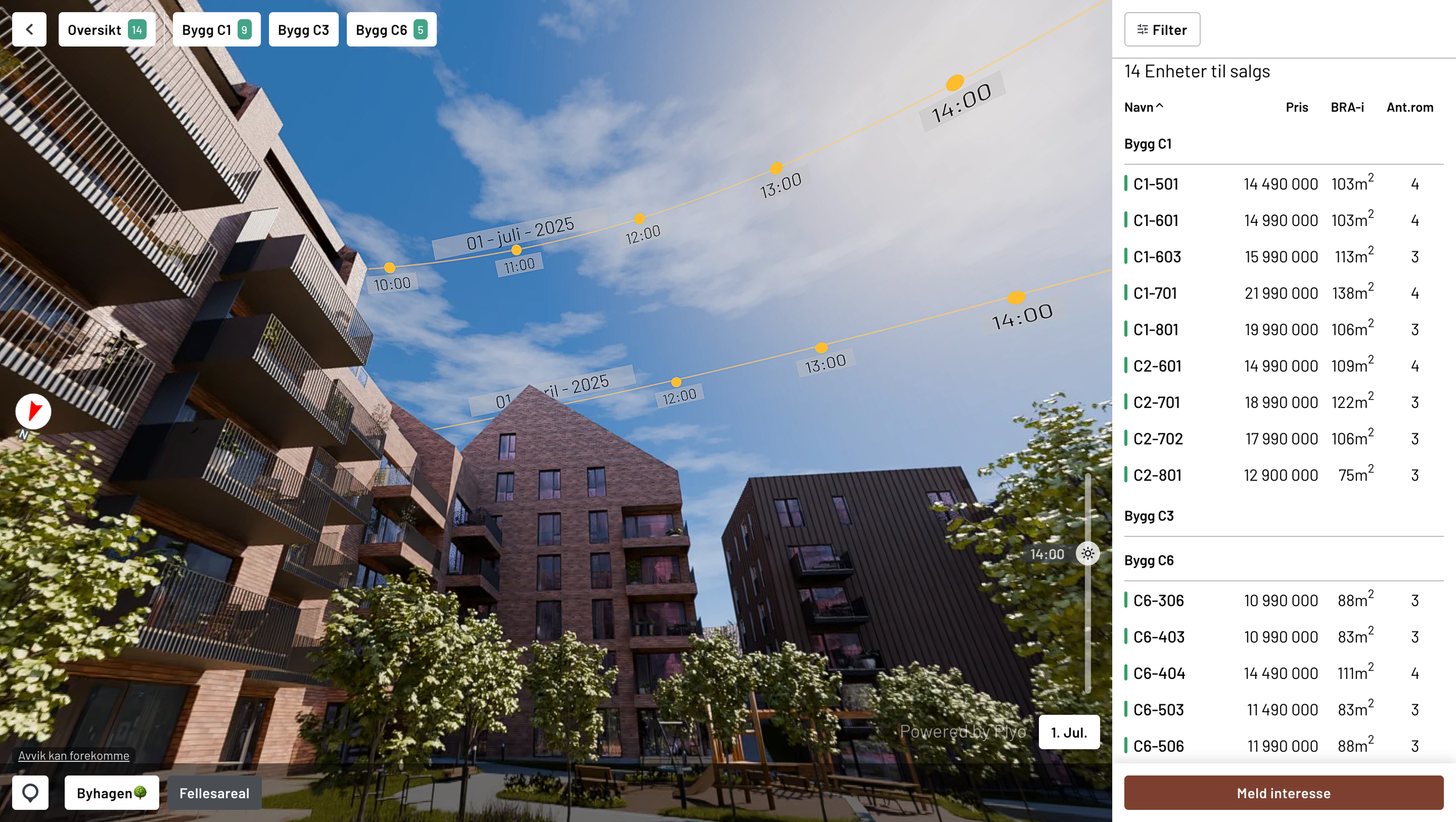
Plyo Explore- View from Unit or Balcony

Explore: Product and background

3D Explore was an already existing standalone 3D viewer to experience an area based on realtime map data and architectural plans and specifications (much like game engines/Google Maps). A number of data sets needed to be brought together, so the database of projects and available properties are linked in realtime.

To scale on a number of areas required some careful planning. The UI was in places inconsistent, but a raft of new features were being quickly developed with new builds and features presented regularly.

  • Exterior and surrounding area explorations / Explore outside and around the building
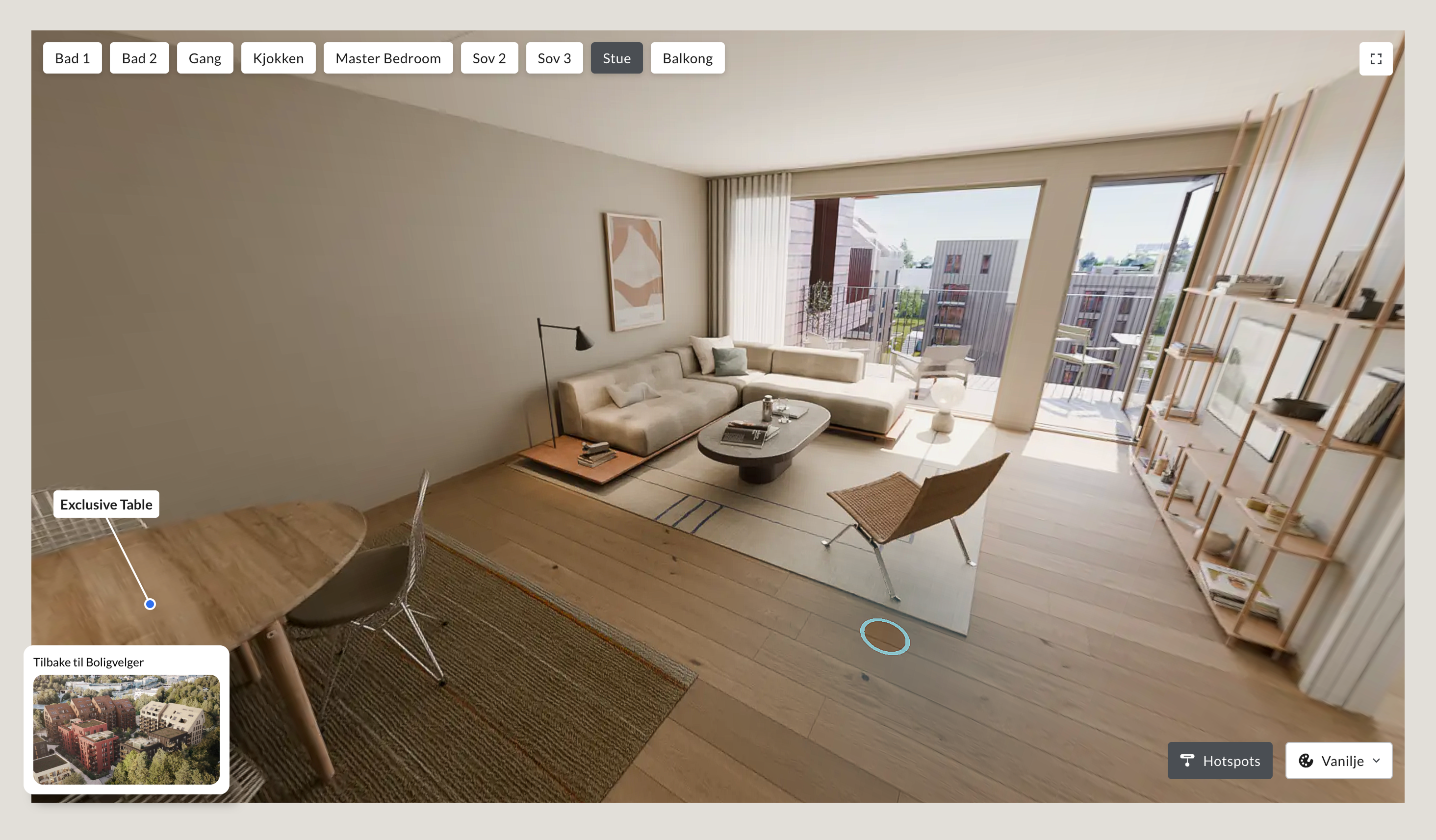
  • Interior exploration / Look around the layout of an apartment and select different finishes
  • Balcony view / What Can I see from this apartment?
  • Points of Interest
  • Sun Study to illustrate position of the sun at times of day and year
  • Apartment/Unit Details

Consistency in a dynamic context

The 3D view can be placed anywhere on a webpage in all browsers, but this also introduces many contexts and layers of features that may or may not be available. We needed a Design System that scaled and UX/UI patterns could be adapted around:

  • Consistency of models, contrast
  • Interactive nature
  • Shifting tech stack, changing focus

Plyo Explore- Sun Study view. Dynamically track the sun and shading through the day

Design approach

As a product that already existed, the main features were further developed in Figma as the basis for a new system with an emphasis on continuity and consistency.

I introduced a complete UI library as basis for the Design System and act as a baseline reference that could be safely iterated on.

Product roadmap always forefront:

  • Edit Interface for features such as POIs
  • Maintain a solid Figma based Design System with patterns and flows
  • Implement workflows and continuous iteration cycles from Unity dev builds

Challenges:

  • Inconsistent MVP UI/UX
  • Needed branding options, where realistically possible
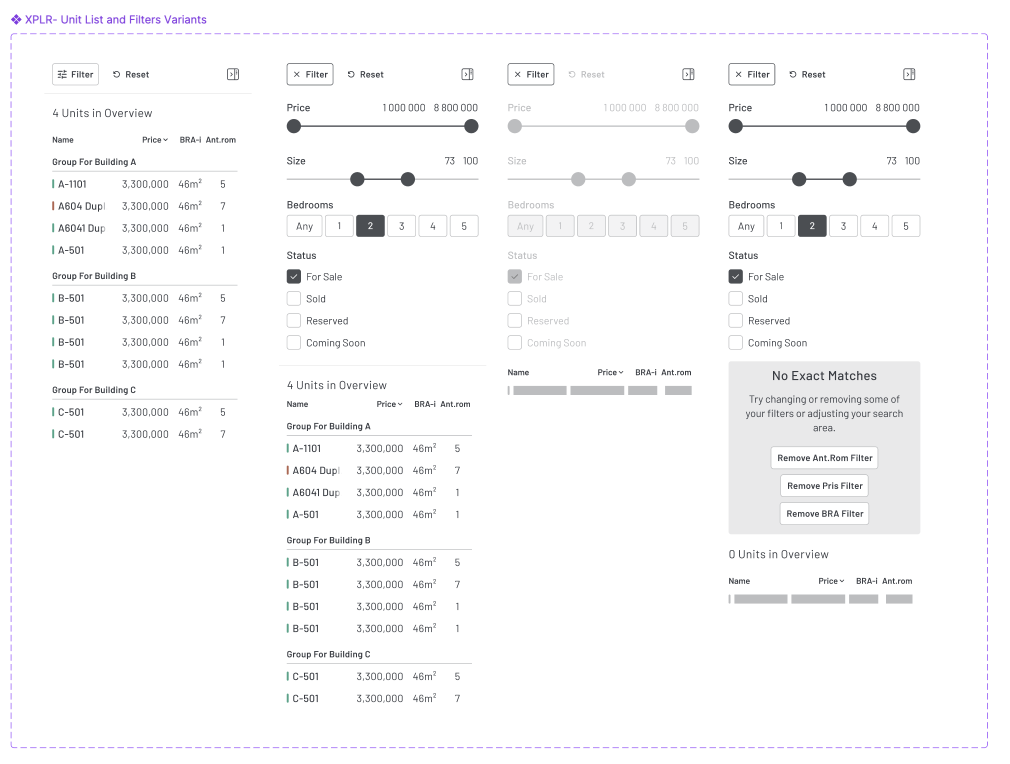
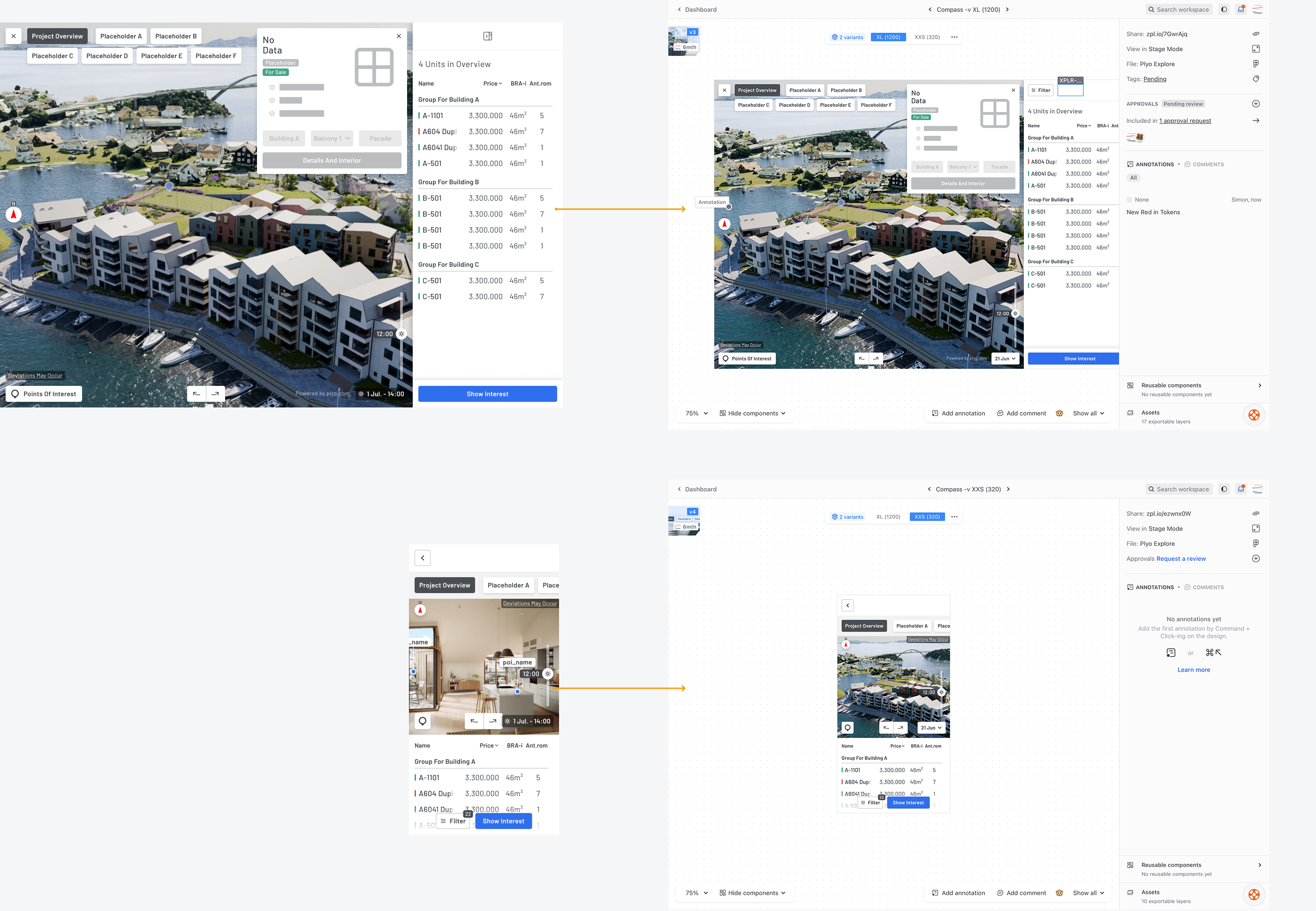
Screenshot of Figma sidebar variants for Explore

Plyo Work

Focussed and integrated tools for Real Estate professionals

A suite of management and data tools that includes CRM, Insights, Newsletters and Property Data - a software and integrations platform that brought together fragmented services.

Primary users are real estate professionals, brokers, marketers, and CEOs of real estate developer companies.

Montage of images of Workspace options and Insight Platforms for Plyo Work

Plyo Work was a pivotal step for Scandinavia's Proptech market, enabling scaling and paving the way for the company's growth.

  • Operational efficiency.
  • Users (agents, marketers) cut hours of reporting and manual data aggregation.
  • All-in-one platform.
  • No more jumping between disconnected systems.
  • Growing business and product.
  • +30% increase in average license fees.
  • Long-term enterprise contracts (Nordr, Aktiv, Gjelstenbolig).
  • Higher client satisfaction and migration from legacy tools.

Building a Design System for consistency and trust

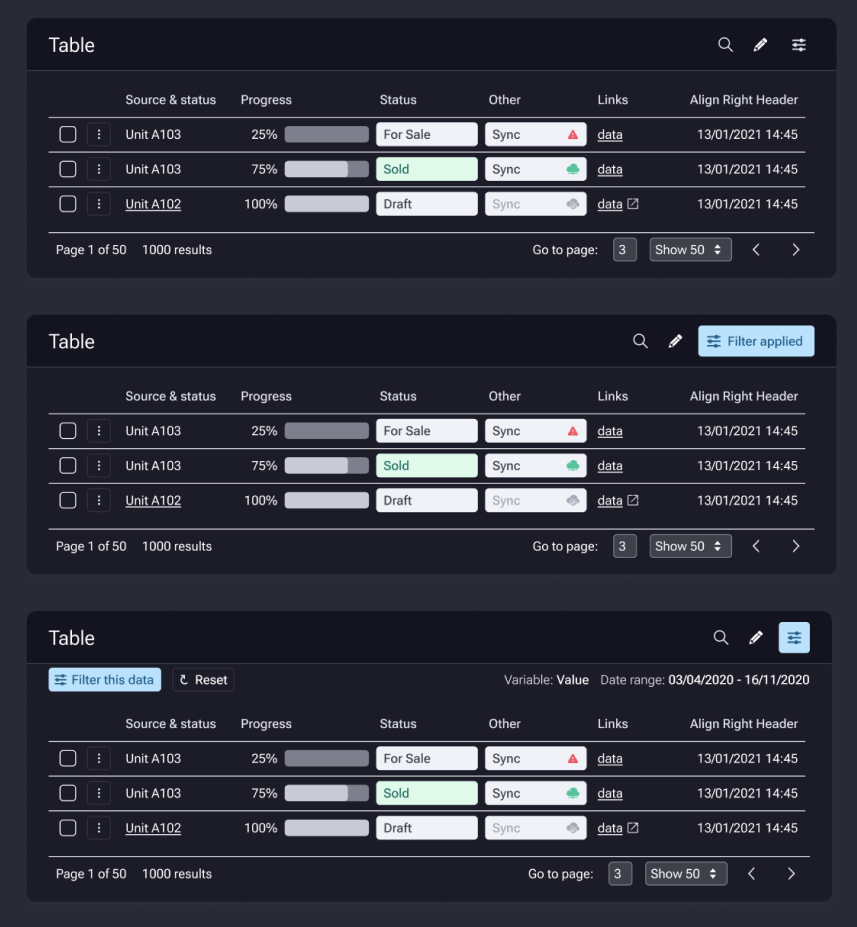
Flexibility is essential with a range of datasets that vary from client to client. The Plyo Design System covers and embraces complexity with assurance and clarity.

  • UI UX Guides with consistency and scalability
  • Complete design workflows to get accurate designs built and iterated smarter
  • Plan and implementation of Design Spec commits, comments and versioning
  • Understand how to design around APIs and third party tools
  • Major tools used Figma, Zeplin and Notion
  • Detailed areas covered include Documentation, Component Management, States, Breakpoints, Iteration Management, Dark/Light/Themes


Auditing and research involved interviews, support request log patterns, and conversations with sales teams.

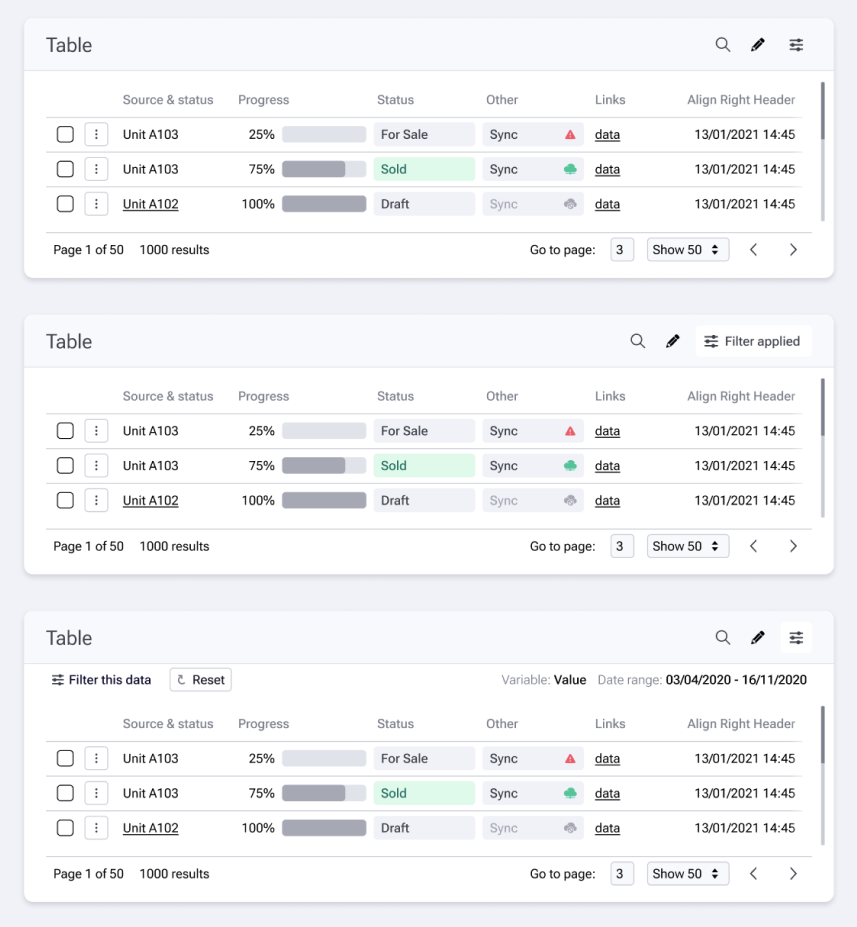
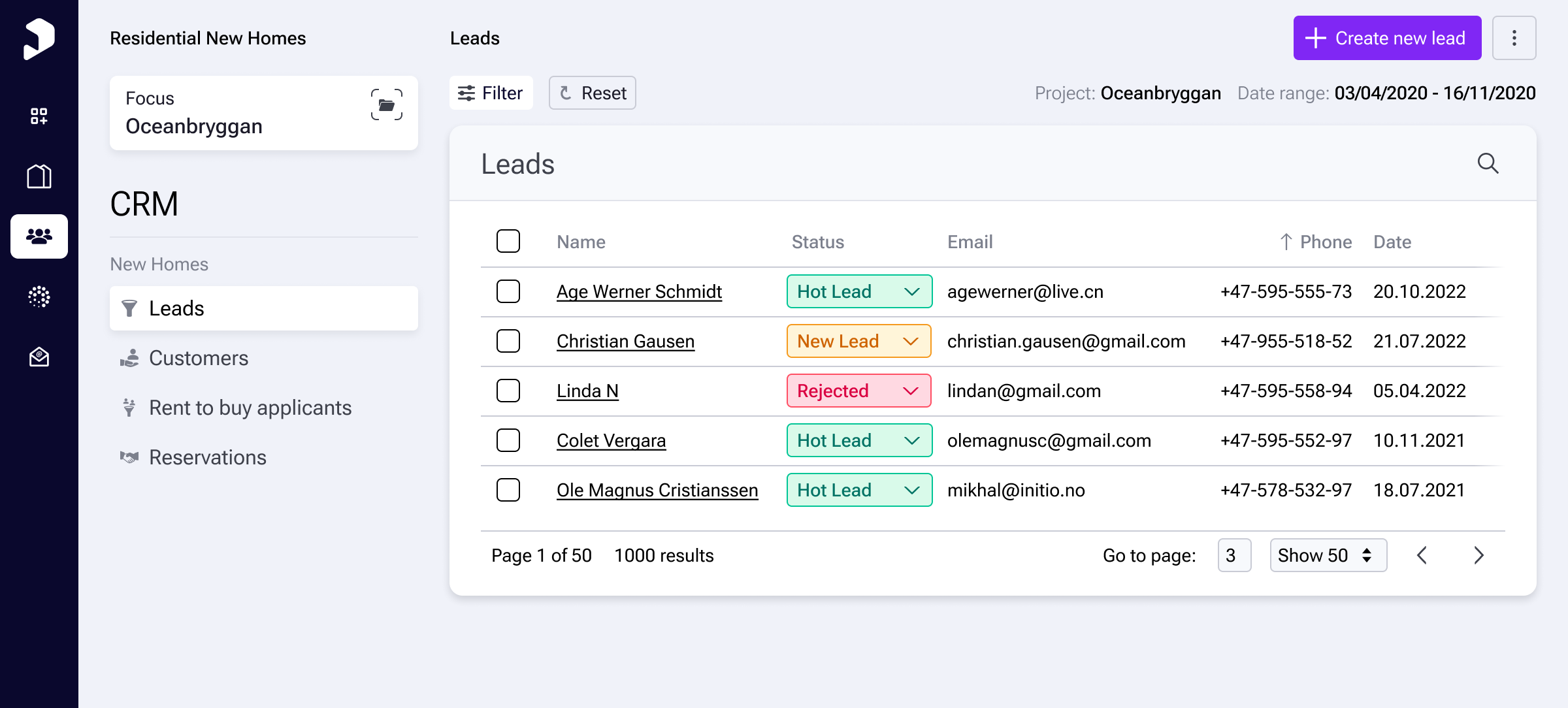
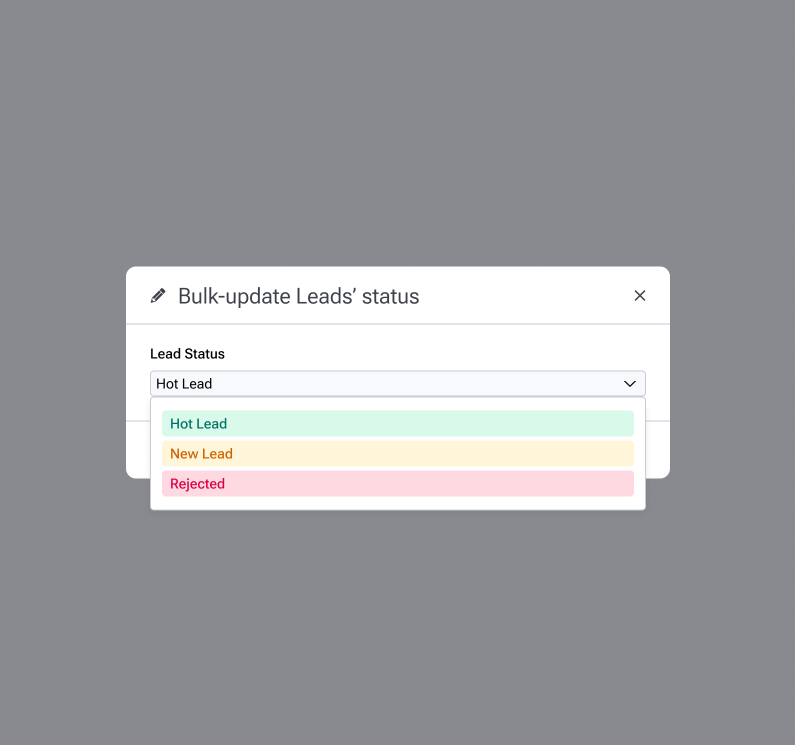
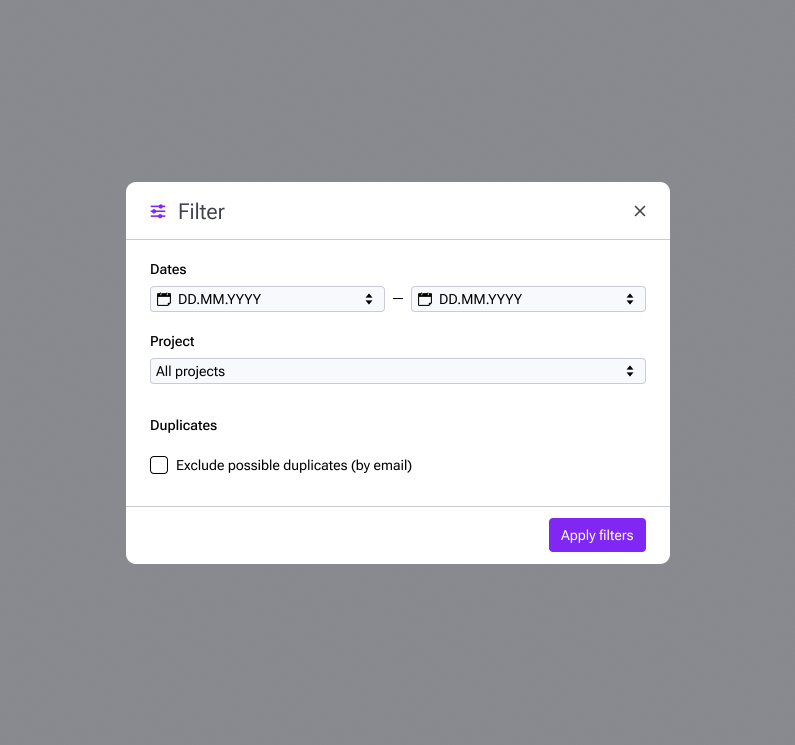
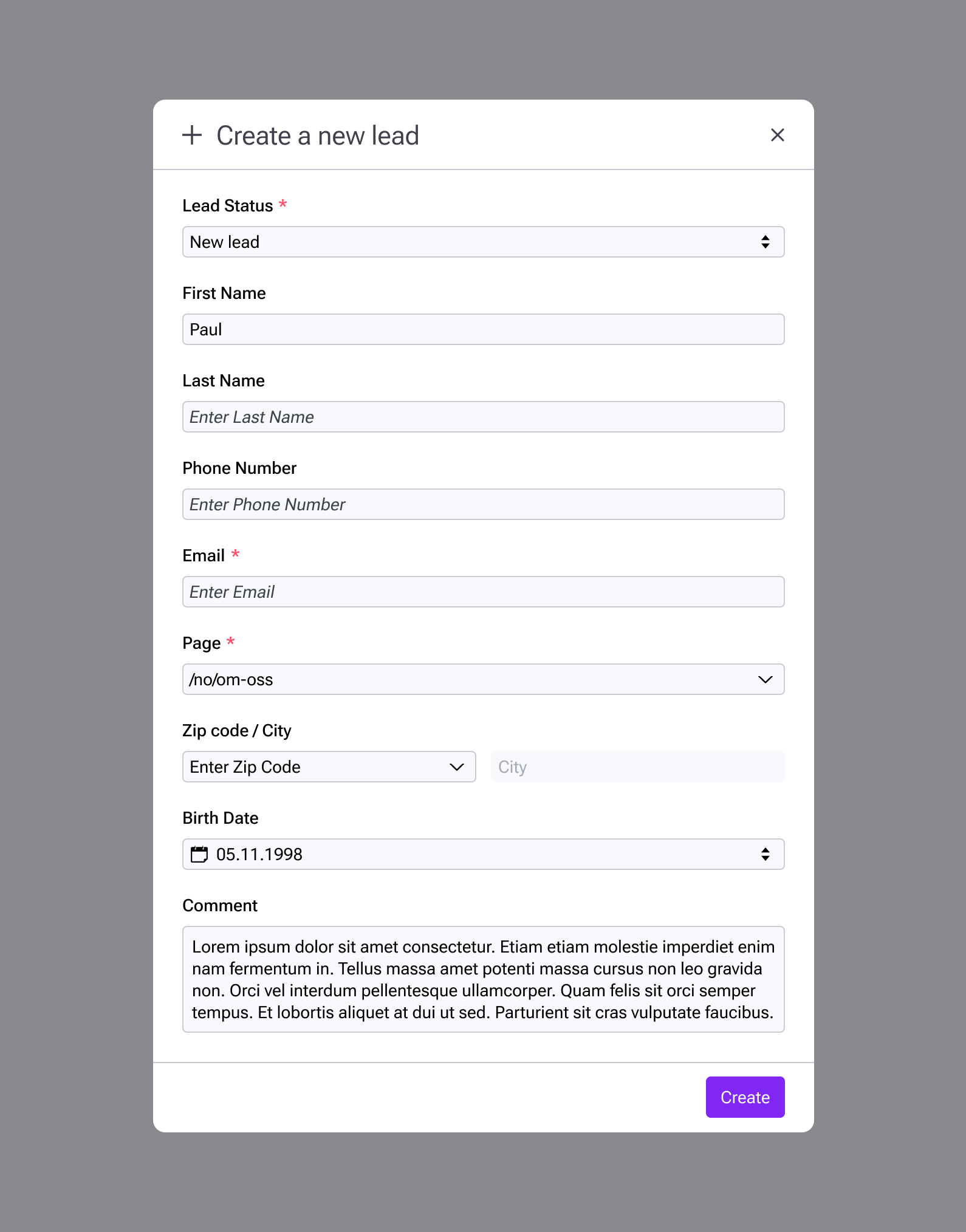
Primary Leads view with ability to Filter, Bulk Edit, and update statuses inline.

Work: CRM

  • Engagement history of leads and interest requests.
  • View Leads and enquiries associated at a project level and individual units.
  • Allow scalability for long lead times and complex transactions.
  • Manage customer journey for signed deals and bought units.
  • Extend to Rent to Buy - handle complex applications, financial checks, applicants’ verification via bank ID.
  • Lead creation and management.
  • Engagement details and requests
  • Easy status changes.

From findings and feedback, many CRM day-to-day tasks can be made easier.

Bulk Editing of statuses.
Filtering by date, project, plus remove duplicates.
Provision to create manual Leads as well as ones generated by website and other channels.

Work: Newsletter & CMS

  • CMS Features: Custom-built CMS designed for the real estate industry.
  • Front-End Figma White Label Components
  • Website Management: Easy web-page creation and editing with global theming options.
  • Email Configuration: Granular control over system emails sent to leads and customers.
  • Newsletter Integration: Pre-configured integration with projects for easy creation, editing, and sending.
  • Subscription Management: Custom subscription lists and flexible forms for audience growth.
  • Email: Visual email builder with project data-driven automation.

Work: Inventory

  • Functionality: Provides complete insight and control over property data stored in Work or sourced from third-party systems.
  • Data Management: Easy editing of unit data, images, documents, and management of project structure and sales steps.
  • Web Page Creation and Data Synchronisation: Automatic web page creation based on data from broker systems, with data synchronisation and automatic updates.

Work: Insights

  • Data Collection: Insights into visitor behaviour and sales performance.
  • Visitor Behaviour Analysis: Track page visits, understand navigation patterns, and optimise project presentation based on visitor behaviour.
  • Sales Performance Analysis: Provides advanced sales reports broken down by building, sales phase, apartment type, size, and other parameters.

SPEC Files, Handoff and continuous iteration

To manage a very fluid and shifting area, it is crucial that the design process and designers work with a system where they take responsibility for the quality and accuracy of their work. This setup would be different for any organisation, but here - a core component system is the key element.

This enabled us to iterate freely on the one hand, but keeping a Final SPEC designs file that is then committed and versioned (we chose Zeplin) means that all stakeholders from other managers and developers are clear what features are being developed and committed.

This takes work in the initial phase, but the act of a COMMIT removes many edges cases and unknowns.

  • Organised Component and Variant Pages
  • Master Layout Components and Variants to cover small changes of position to be consistent across SPEC files.
  • Iterate Features
  • Commit and Push versions to Zeplin
  • Comment and Annotate with Zeplin
Specification Files, with commits and proper handovers ensure clear, focussed and faster iterative designs